Daily equipment inspections for small contractors
Know which machine is down before the crew does.
Put a QR sticker on every machine. Operators scan it and run a 60-second inspection. Anything unsafe shows up on your screen right away.
14 days free · no card needed · set up in about 10 minutes
Walk-around00:00
Checked0 / 6
Cleared0
Needs attention0
Down0
06:12 · Shift start. Six machines, one walk-around.
Scroll
A machine that fails on the morning walk-around costs you the day. One nobody checked costs you the crew. RigCheck gives every operator sixty seconds and every owner the answer, before the first truck rolls.
Three steps. No training.
- 01 · Stick it on
A sticker on every machine
Print a sticker for each machine and put it by the door or on the dash. Every sticker opens that machine's own checklist.
- 02 · Scan and check
Pass or fail, gloves on
Big buttons, a short checklist, photos for damage. A failed safety item flags the machine down instantly.
- 03 · You see it
The whole yard on one screen
Every inspection is logged with who, when and the hours on the machine. The worst problems are always on top.
What you actually get. Every morning, every inspection.
This is the real product screen, filled with the demo fleet. No mock-ups, no made-up customers.
The record behind each flag
Sample dataWho ran it, when, the machine's hours, what failed and what was done about it.
On the phone, in the yard.
Real screens from the demo fleet. Operators scan a sticker and tap. You see the answer.
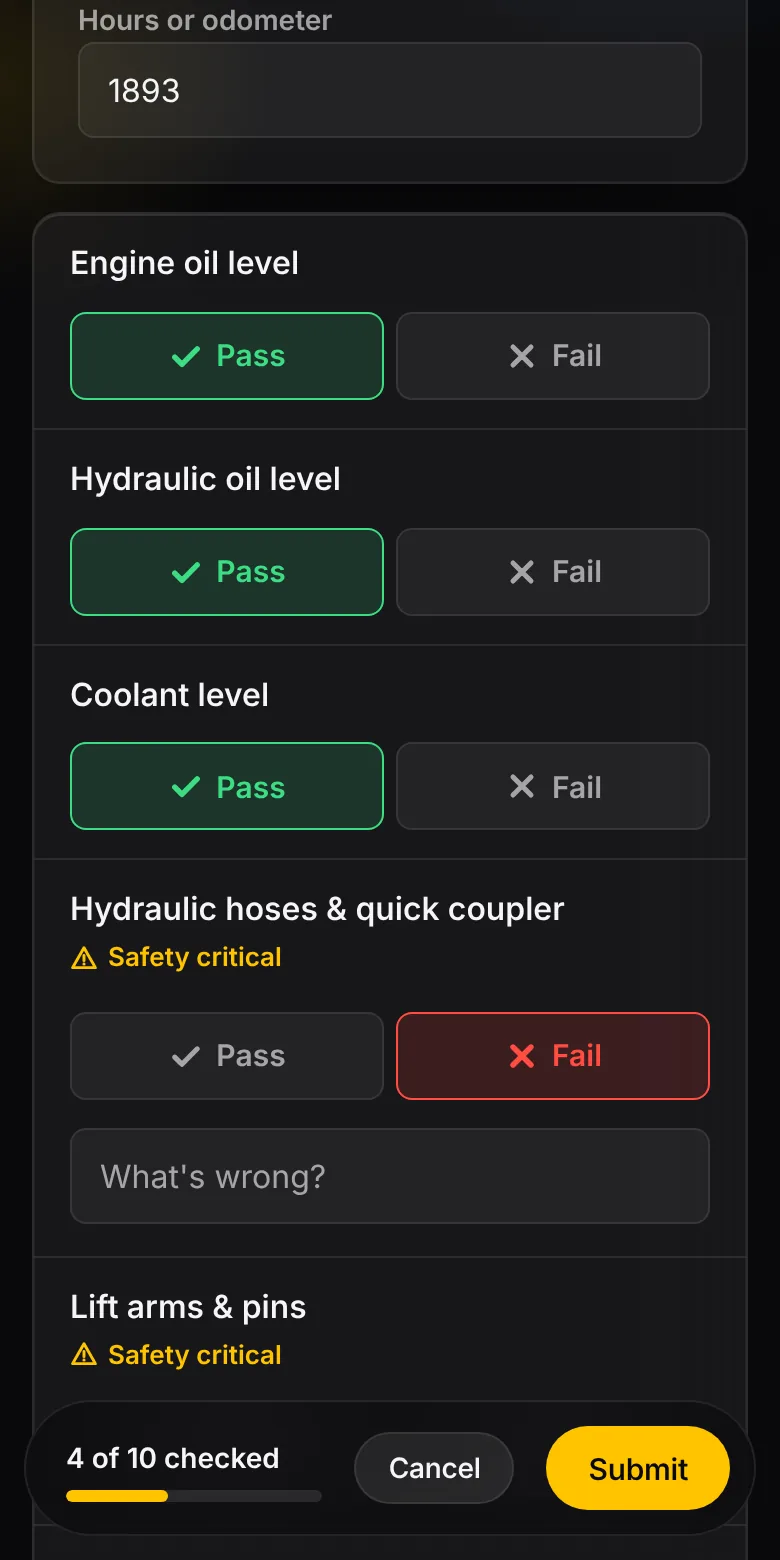
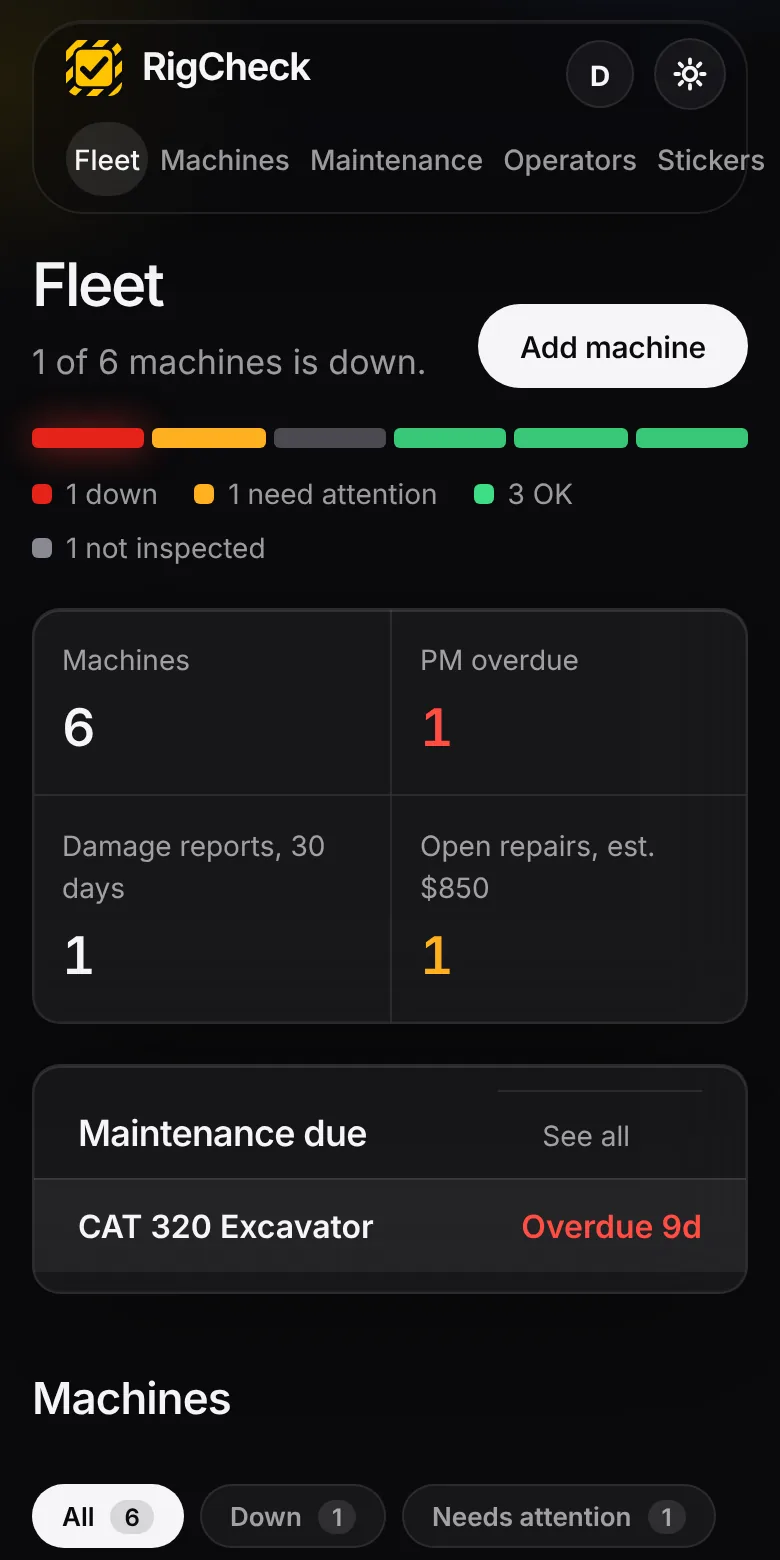
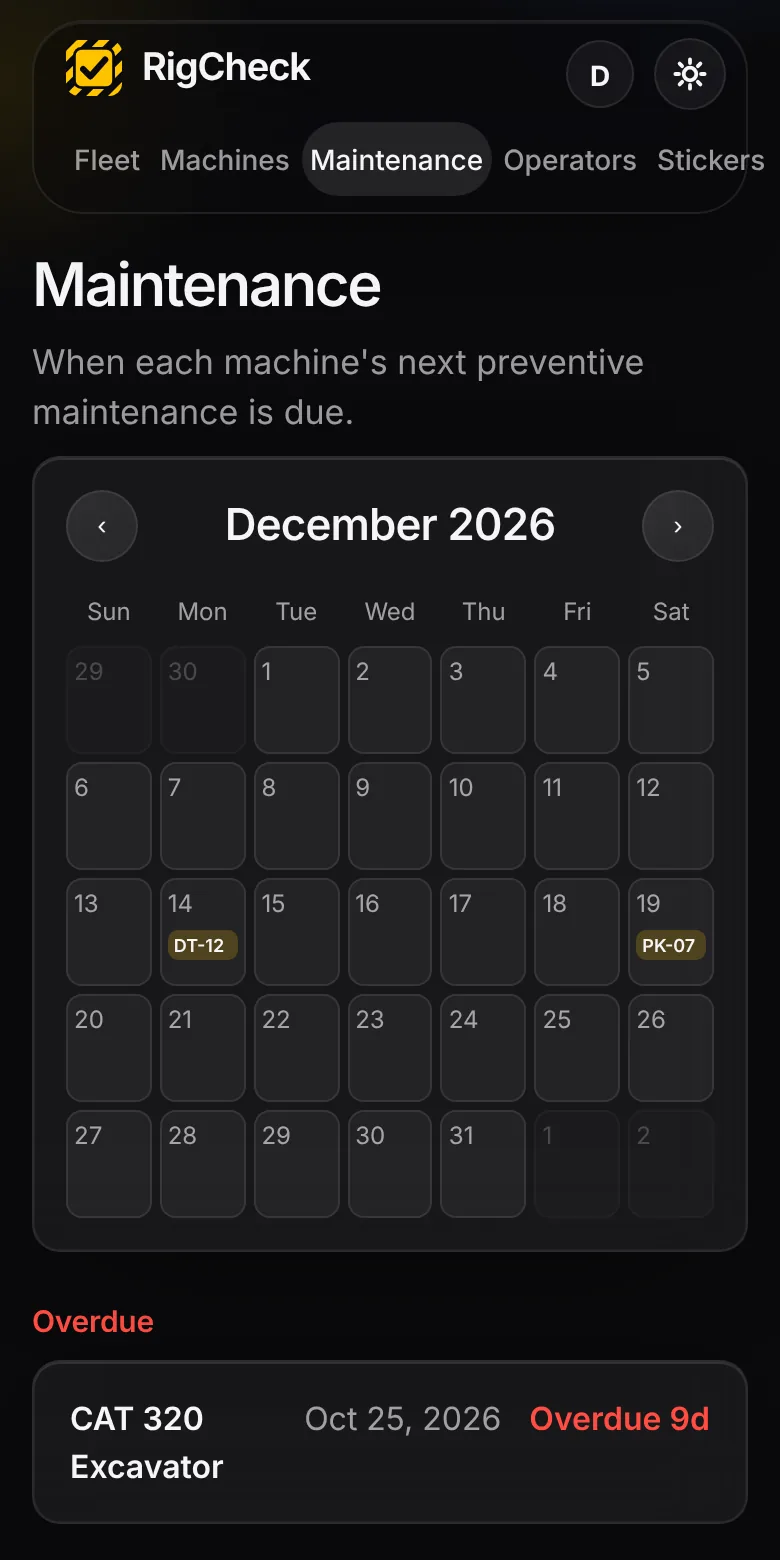
Want to hold one first? Download a sample sticker sheet (PDF) and print it.
Try a 60-second inspection right here.
Tap Pass or Fail on each item. Fail a safety item and watch what the owner sees. Nothing is saved.
Your screen
What does a down machine cost you?
Change the numbers to match your shop. These are examples, not promises.
Built for the yard, not the office.
Checklists for your equipment
Excavators, dump trucks, skid steers, plow trucks and trailers, each with its own list and safety-critical items marked.
Damage reports with photos
Operators note what happened and where, and attach photos. Photos are shrunk on the phone so they upload on a weak signal.
Maintenance calendar
Set a service interval per machine and see what is due, and what is overdue, on one calendar.
Printable stickers
One click prints a sheet of QR stickers for the whole fleet.
No app to install
It runs in the phone's browser. Nothing for operators to download or sign in to.
A record you can show
A dated history for every machine, ready if an auditor or insurer asks.
Clipboards get lost. Spreadsheets get skipped.
How RigCheck compares with the ways most small shops track inspections today.
| Paper clipboard | Spreadsheet | Big fleet software | RigCheck | |
|---|---|---|---|---|
| Owner learns a machine is down | Later, if the sheet comes back | When someone types it in | Right away | Right away, by email |
| Photos of damage | No | Attached by hand | Yes | Yes, from the phone |
| Operator needs an app or login | No | No | Often yes | No, scan and tap |
| Record for an insurer or auditor | A binder to dig through | If it was kept up | Yes | Dated history, PDF and CSV |
| Set up | Minutes | An afternoon | Days to weeks | About ten minutes |
| Pricing | Paper and lost time | Free, plus your time | Often per vehicle or per seat | From $39 a month per fleet |
General comparison of common approaches. Your current setup may differ.
Priced per fleet, not per seat.
Every plan starts with a 14-day free trial, no card needed. Operators are always free.
Starter
$39/month
- Up to 5 machines
- QR stickers and checklists
- Damage reports with photos
- Maintenance calendar
Shop
$79/month
- Up to 20 machines
- Everything in Starter
- Repair cost tracking
Fleet
$149/month
- Up to 60 machines
- Everything in Shop
- PDF inspection records
Questions
Do operators need an account?
No. They scan the sticker, type their name once, and the phone remembers it.
Does it replace a formal DOT inspection?
No. RigCheck keeps a daily record of walk-around checks. It does not replace any inspection your regulator requires.
Where is my data stored?
In a database your whole crew shares. Each company can only ever see its own machines and inspections.
Can I add my own checklist items?
Yes. Each machine can use the standard list for its type or your own, and you choose which items count as safety-critical.
What happens when the trial ends?
Your data stays put. Adding machines and new inspections pause until you pick a plan. Cancel any time from your account page.
Do I need a credit card to start?
No. The 14-day trial needs only an email address. You add a card when you pick a plan.
Can I cancel, and can I take my data with me?
Cancel any time from your account page, with no contract. You can export your machine list and maintenance history as CSV files, and print PDF inspection records, whenever you like.
Who builds RigCheck?
RigCheck is built in Michigan by people who work around equipment, not by a big software company. Questions go to a real person: contact us.
See your fleet in a minute.
Add a machine, print its sticker, and fail a hose from your phone. The trial is free for 14 days.